Single sign-on (Entra ID)
Let employees sign in to Clad with their Microsoft account, under your access policies.
Before you begin
Role: Cloud Application Administrator or Application Administrator · Time: 10 minutes · Requires: Clad app approved
Employees sign in to Clad with their Microsoft account through OpenID Connect. Passwords stay with Microsoft. Your Microsoft Entra ID policies (MFA, Conditional Access, session controls) apply to every sign-in.
The screenshots below are examples. Your application is named Clad for your organization's name and has its own application ID and object ID.
Set up
Restrict sign-in to assigned users
By default, anyone in your organization can sign in once the app is approved. To limit access to specific people:
- In the Microsoft Entra admin center, go to Enterprise applications → All applications and search for Clad. Your application is listed as Clad for your organization's name. If it doesn't appear, remove the Application type filter.
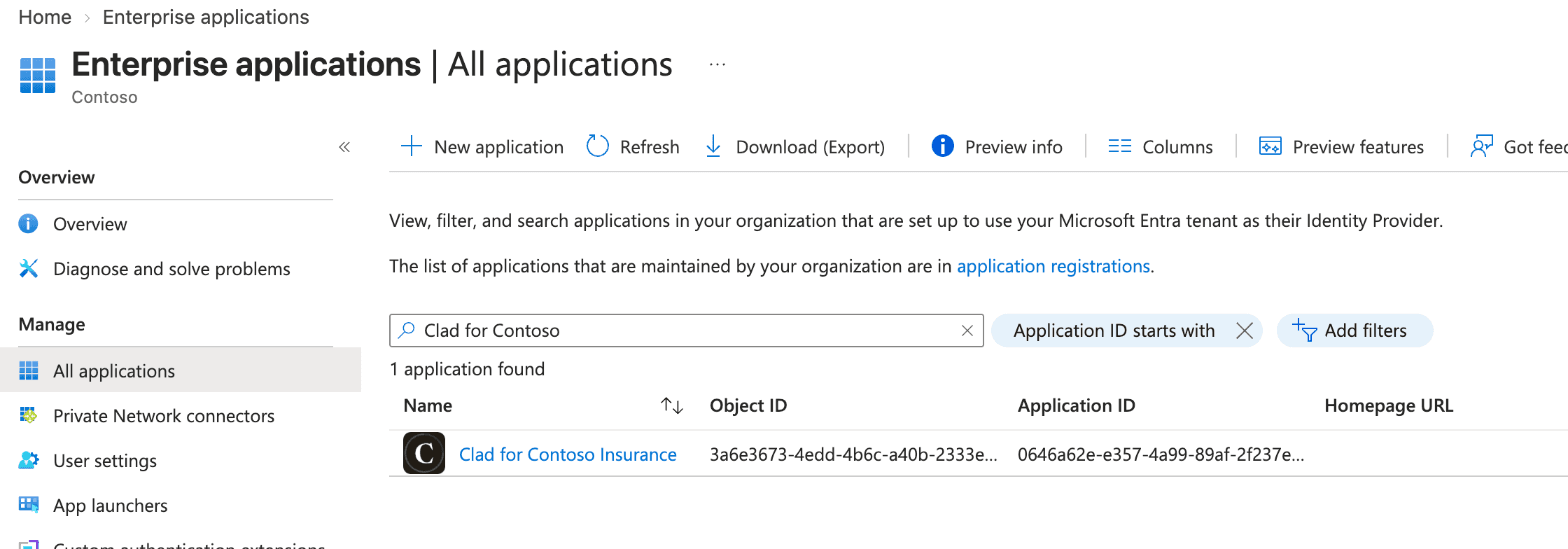
- 1Search for Clad.
- 2Select your Clad application to open it.
- Select Properties, set Assignment required? to Yes, then select Save at the bottom of the page.
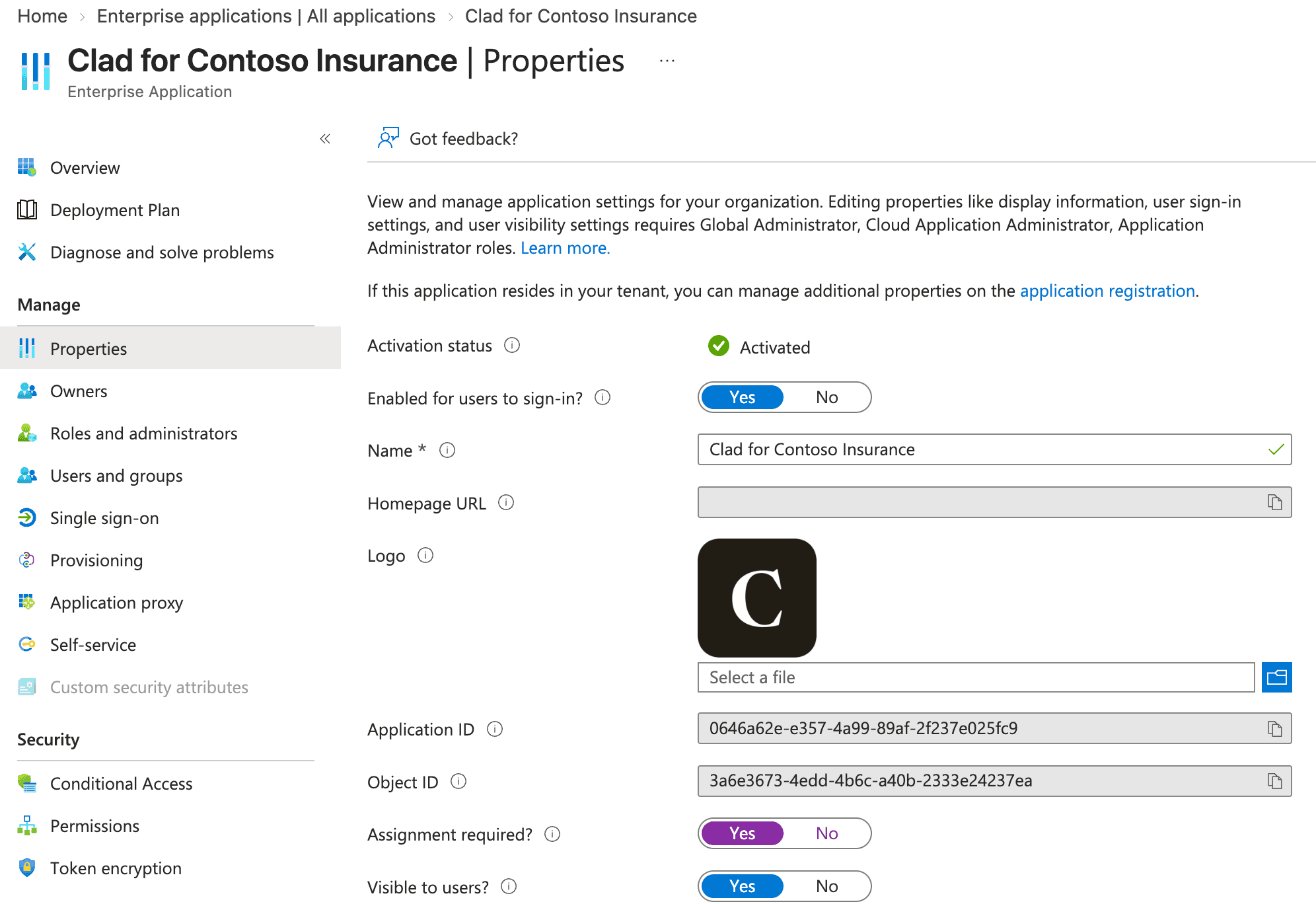
- 1Properties
- 2Assignment required? set to Yes
Assign users or groups
- In Enterprise applications → Clad for your organization, select Users and groups → Add user/group.
- Under Users and groups, select None Selected, choose the employees or a group who should use Clad, then select Select and Assign.
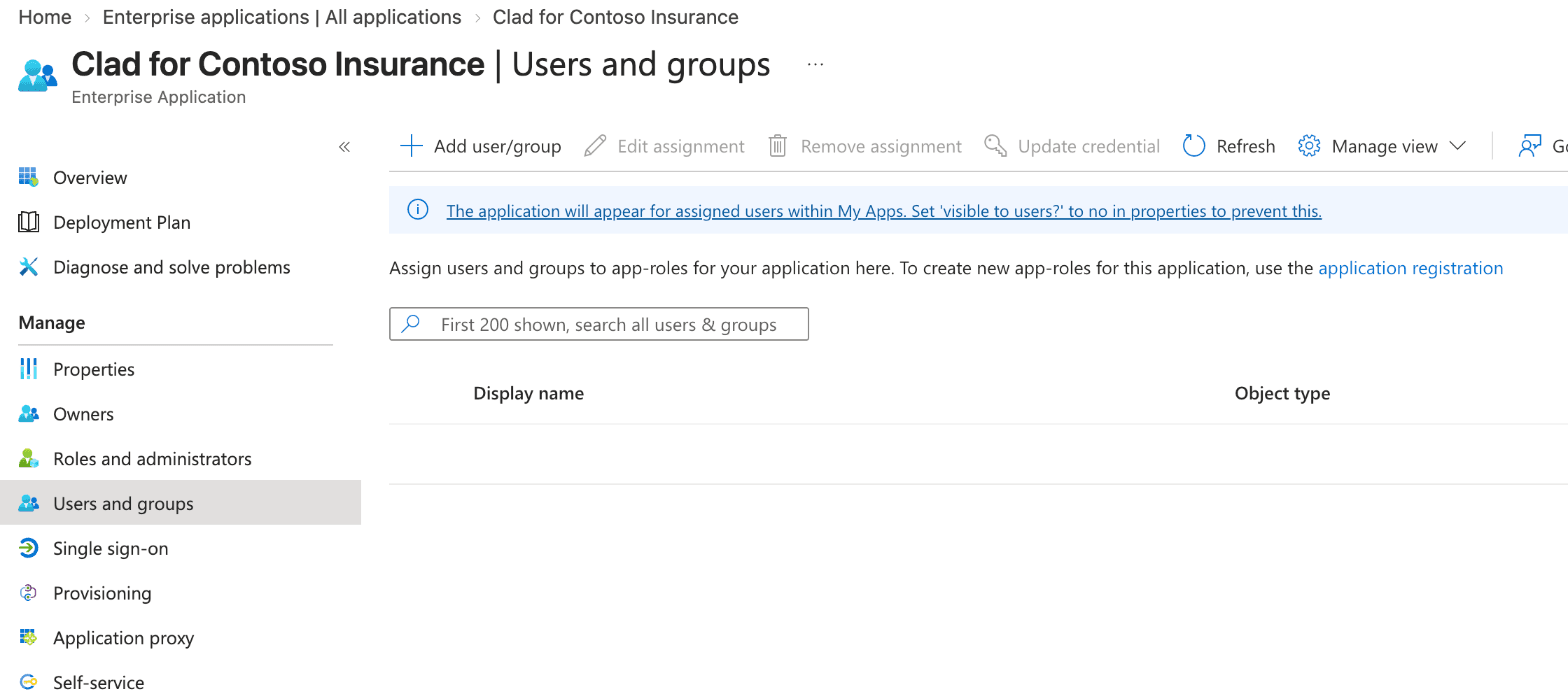
- 1Users and groups
- 2Add user/group opens the assignment panel.
Sign-in and mail access are set up separately. Most people will have both, but they don't need to: an operations lead, for example, can sign in to Clad to manage your team's settings without their own mailbox being connected.
Apply Conditional Access (recommended)
Target Clad for your organization's name in your existing Conditional Access policies, for example to require multifactor authentication or a compliant device. Clad supports any policy that the Microsoft sign-in page enforces.
Verify
Ask an assigned employee to sign in to Clad with their Microsoft account. An unassigned user sees a Microsoft message that they are not assigned to the application.
Account matching
Clad matches the signed-in Microsoft account to the employee's Clad profile by their email address. Each employee's sign-in address (user principal name) should match their primary email address. Let your Clad contact know if any differ.
Clad is operated by Docshield Inc. · Wilmington, DE · New York, NY